For absentee property owners
Did anyone
actually come?
Declare the schedule once. Roll Call watches the cameras you already own and tells you who showed up, who did not, and when it could not see.
$9.99/month only if you choose to subscribe · the free trial never converts on its own · works with the cameras you already own
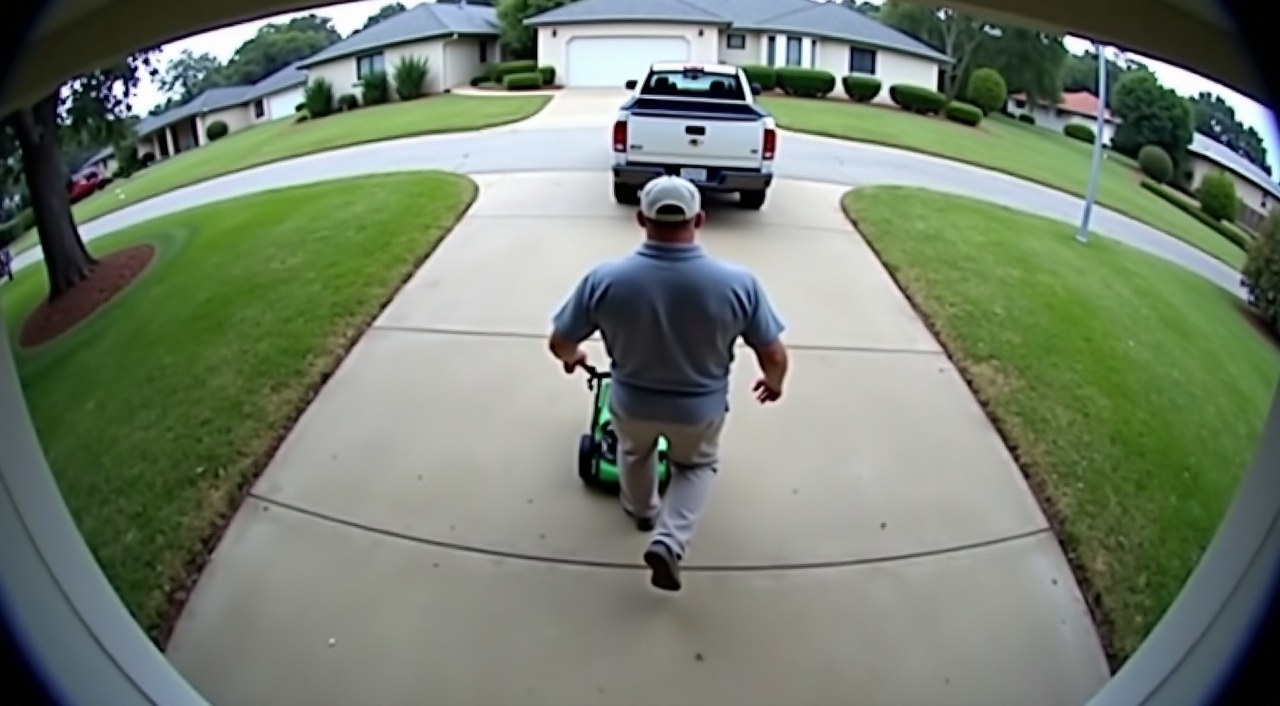
Visit log · Tue 11 Aug
Most vendors do the work. You just have no way to know which weeks they didn't.
A monthly fee, a scheduled service, an empty house. The bill arrives whether or not the van did. Nobody wants to accuse their landscaper of anything — and nobody wants to keep paying for a visit that did not happen. What is missing is not suspicion. It is a record.
Roll Call keeps that record for you, quietly, and hands it to you in a form you could put in front of the vendor without embarrassment.
Not a case against anyone. Your vendors are not users of Roll Call and cannot see a thing in it.
Not another camera to buy, and not a second app to check. It reads the cameras you already have, read-only.
Not a stopwatch. We report an arrival and a departure — never a claim about how long someone worked.
Ten minutes once, then nothing.
-
01
Link your account
One read-only connection to your camera account. Roll Call sees motion timestamps and whether a device is online. It cannot view live, cannot hear audio, and cannot change a single setting.
-
02
Confirm what we already see
We read recent history and propose the schedules we can already spot — “someone comes Thursdays around eight.” Accept it, correct the window, or add a vendor we missed.
-
03
Go back to your life
A summary lands on Sunday. Between Sundays you hear from us only when a window closes badly. A confirmed visit sends no email at all.
Four answers — and one of them is “we could not see.”
A camera that lost power is not a vendor who failed to arrive. Every product that collapses those two eventually tells you nobody came on a day somebody did. Roll Call keeps them apart, and says which is which.
They came
A visit landed inside the window. This is the common case, and it is deliberately the quietest thing in the product.
Nobody arrived
No visit, and the camera was verifiably online for the whole window. This is the only state we will state plainly, because it is the only one we can support.
We couldn't see
The camera was offline for part or all of the window. We tell you the outage times and leave the row unfilled. A gap in the record is never a guess.
Not quite the window
Someone came at 7:41 for an eight o'clock window. You tell us whether that counts, and we remember.
“On site 9:14 AM to 9:22 AM. Usually closer to 34 minutes.” They came, and they left in eight minutes. For an absentee owner that is often the whole point — so it rides on top of a confirmed visit rather than pretending to be a verdict of its own.
Two emails a week, at most.
Routine mail is capped at one a day, and several problems coalesce into one message so the one that matters is not buried under four that don't. Below is real output, not a mockup.
Green Lawn at Tahoe cabin: no arrival seen on Wednesday, August 12 during 8:00 AM to 10:00 AM.
Blue Wave Pools at Tahoe cabin: on site 9:14 AM to 9:22 AM on Wednesday, August 12, about 8 minutes. Usually closer to 34 minutes.
Service summary for August 9 to August 15.
Blue Wave Pools at Tahoe cabin: 1 confirmed, 1 missed, 1 could not be verified.
Green Lawn at Tahoe cabin: 4 confirmed.
Note that the summary names what it could not verify in its own words, rather than folding it into the miss count. You can also silence missed-visit alerts and keep the Sunday summary — it is not one switch for everything.
A document you could hand to the vendor.
On the first of every month, a PDF: arrival and departure times for every visit, the hit rate for each vendor, and explicit rows for the windows we could not observe.
That last part is the point. A report that quietly omits the days its cameras were down is a report a vendor discredits in one sentence. This one is built to be read by someone looking for a reason to dismiss it — and to survive being printed in black and white.
Times are camera observations of arrival and departure, not a measure of work performed. Windows that could not be observed are listed above rather than omitted.
One plan. Cancel from your phone.
There is no annual plan and no tier ladder. One skipped visit a month more than covers it, which is the only maths worth doing here.
- Unlimited vendors and properties
- Exception alerts and the Sunday summary
- The monthly PDF record
- Camera evidence on request, one window at a time
Nothing is lost. Your cameras keep working and your windows keep resolving — the record is still being written, it just is not being sent. Subscribe again and it is all there waiting.
One screen deletes the account and everything attached to it. No retention offer, no “are you sure” maze, no discount to talk you out of it.
Motion timestamps, device status, and the schedules you declare. Clips are fetched only when you ask and are not retained.
Will my landscaper know?
No. Vendors are not users of Roll Call and have no view into it. What you do with the record is entirely your call.
Do I need new cameras?
No. Roll Call reads the ones you already own. It does need at least one camera that sees where a given vendor arrives — a vendor with no camera can never be verified, and we say so rather than guessing.
Can Roll Call change my camera settings?
No, and it never asks to. The connection is read-only. If a setting is hurting accuracy we tell you which one and send you to the Ring app to change it yourself.
What if the power goes out?
Then that window comes back “could not be verified,” with the outage times. It will never be reported as a no-show. That distinction is the whole reason this product exists.
Can it tell me how long they worked?
No — and be suspicious of anything that says it can. A front camera sees an arrival and a departure; a crew in the back garden is invisible to it. We report the two times we observed and nothing more.
How many emails is this?
A summary on Sunday, plus an exception mail on days something goes wrong — capped at one a day, with several issues coalesced into one message. You can silence exception alerts and keep the summary.